From Shopify catalog to Meta catalog ads in four steps
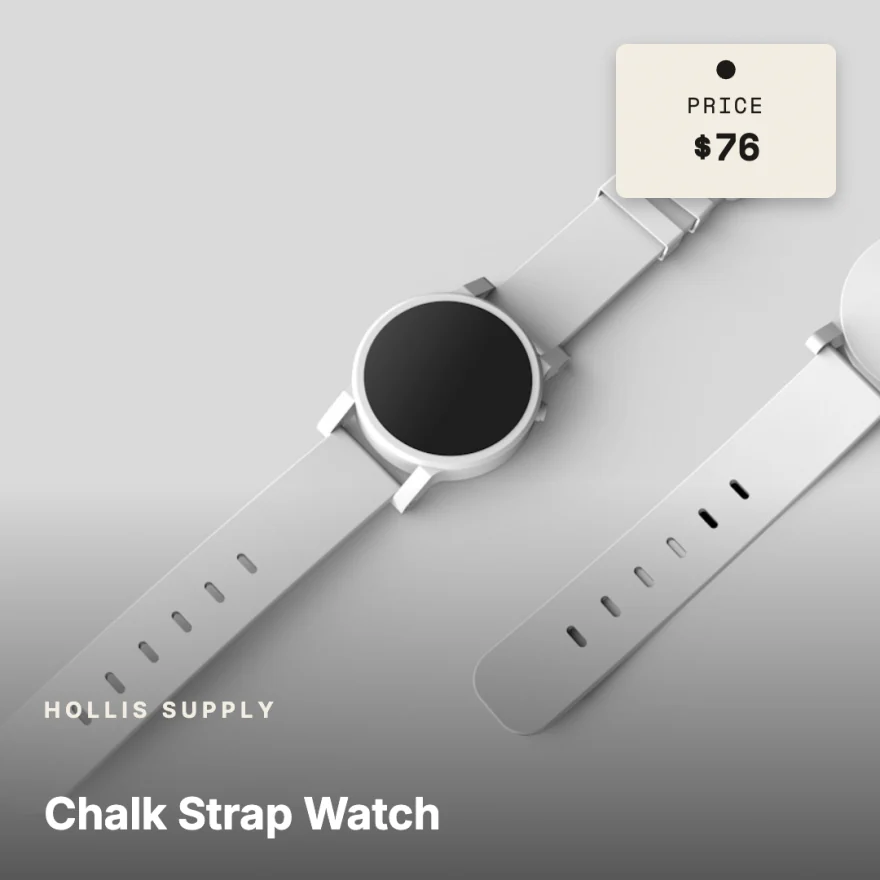
The pictures are the real app and the ads it made for a sample store. The whole run takes about a minute.
Bring your catalog
Connect the read-only Shopify app or upload your product CSV export. Richicat shows every product it found, with variants, photos and prices, before anything is added. After that it syncs instantly, every hour or once a day.
Learn morePick a template
Every template in the library renders with your own products, so you choose with your catalog in view. Hover one to see its colourways, pick it, and it becomes the design for every product in the feed.
Learn moreEdit once
Change the words, colours, fonts and layout in a full canvas editor. Text bound to product fields fills in each product’s own name and price, so one edit updates every ad.
Learn more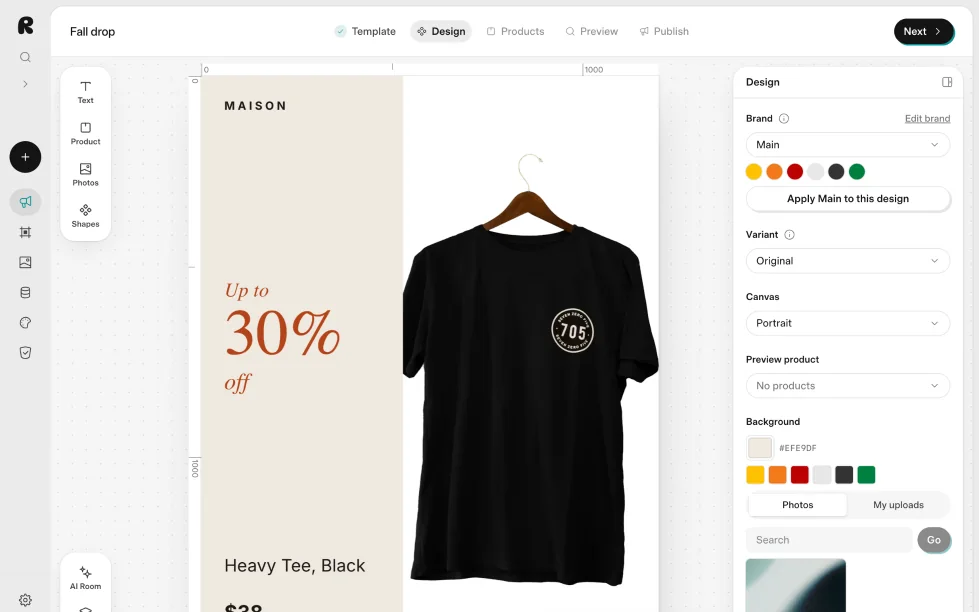
Get your catalog feed
Richicat renders each product in five sizes, from landscape to story, and gives you a catalog feed link. Add it in Meta Commerce Manager and your catalog ads show finished designs, with prices kept current.
Learn more
Landscape 1920 × 1080 
Square 1200 × 1200 
Portrait 1200 × 1500 
Tall 1200 × 1600 
Story 1080 × 1920